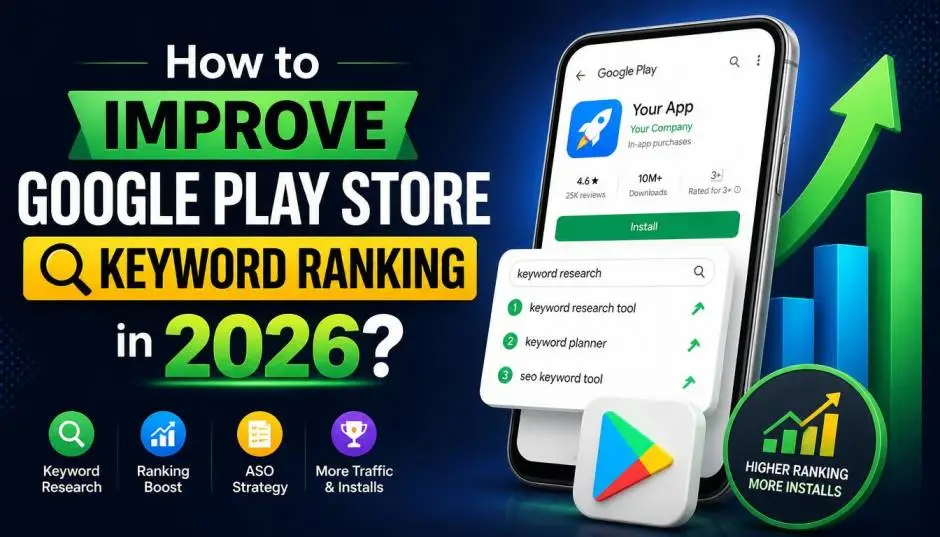
Learn how to improve Google Play Store keyword ranking with ASO strategies, keyword research, app optimization, and proven ways to boost app visibility. The old ASO rulebook is out the window.
Google Play is no longer just about stuffing keywords into your description and hoping for the best. As of 2026, AI is now a major player in how apps are discovered.
This guide gives you a practical strategy to improve your Google Play Store keyword ranking, based on how the algorithm actually works today.
How to Improve Google Play Store Keyword Ranking?
The biggest shift in 2026 is Google's integration of Gemini AI into the Play Store. A feature called Ask Play can now answer user questions directly on your app listing .
Read Also: How to Generate 1000 Leads Per Month SEO Content Strategy?
Here is the catch. When a user asks a question, Gemini pulls answers from your Play Store description and even your own website . This means the AI compares the two sources.
If your app's description and website say different things, you are giving the AI mixed signals. Consistency is a new ranking factor. Also, for conversational searches, AI-generated recommendations now take up the first few screens of results.
Traditional organic results get pushed down. That means ranking high for a broad keyword no longer guarantees traffic.
Free Keyword Research Tools That Still Work
Even with AI changes, keyword research is still the foundation. Use these tools to find terms people are actually searching for.
Google Play Auto-Suggestions
This is your starting point. Type a few letters into the Play Store search bar and see what auto-fills. Google suggests high-volume queries. Tools like AppTweak's Keyword Suggest Tool replicate this process .
Chrome Extensions for ASO
Browser extensions give you a free view into what is working.
-
AppTweak ASO Tool: Shows keyword density in descriptions and helps compare apps across countries .
-
Appark: Reveals app download trends and the top 10 keywords driving an app's search rank .
These tools help you see what keywords your competitors are ranking for, so you can target the same terms.
Google Trends
Use Google Trends to understand search behavior. A major UI change to the Play Store in July 2026 caused a 110% spike in related searches . Understanding user interest and common queries helps you pick keywords with momentum.
Optimizing Your Listing for the New Algorithm

Write Your Description for AI, Not Just Users
Your full description, up to 4,000 characters, is now parsed by a language model . This means you need to front-load your strongest, most specific sentences.
You Must Also Like: A Digital Mindset Enables You to Transform Obstacles Into
What an AI-readable description looks like in 2026:
-
Logical structure: Use section headings to organize information.
-
Natural keyword usage: Do not stuff keywords. AI understands semantics, so explain what your app does clearly .
-
Specific use cases: Instead of "great app," write "meal planner for busy parents" .
Make Your Short Description a Value Proposition
The short description, limited to 80 characters, directly affects your click-through rate . Explain why the app is worth installing. A clear value promise leads to better conversion and stable ranking .
Leverage Custom Store Listings for Targeted Keywords
Custom Store Listings let you create different versions of your listing for different countries or audience segments . If you are targeting "water tracker for pregnancy" in one campaign, you can build a dedicated listing around that phrase.
This is a powerful way to rank for specific, high-intent keywords without diluting your main listing.
Localization: Translation Is Not Enough
Language translation is the bare minimum. For real impact, you need to adapt your keywords to how people search in each market .
A direct translation of a keyword might not be the phrase locals actually type. Use a localization tool to check search volume for country-specific queries .
Behavioral Signals and Reviews Matter
Google Play looks at how users interact with your app, not just your listing text .
Reviews Are a Traffic Source
The text of user reviews is indexed by Google Play . So are your replies to those reviews. If users naturally mention "great habit tracker," that phrase helps your ranking. You can also naturally work important keywords into your replies.
Retention and Uninstall Rate
Google uses behavioral signals to determine if your app lives up to its metadata .
-
High uninstall rate: Signals a mismatch between your title/description and the actual app experience. This hurts your ranking.
-
Low retention: Indicates your app is not valuable enough to keep users coming back. This also drags down your visibility.
The Rating Reality
A rating below 4.0 quietly caps both your ranking and your conversion . You cannot ignore this.
Use Store Listing Experiments to Test
Google Play has a built-in A/B testing tool called Store Listing Experiments . Use it to test different titles, short descriptions, and graphics. This is the most reliable way to see what improves your ranking and conversion.
Your 2026 ASO Checklist
-
Research: Use Google Trends and the Play Store's autocomplete to find low-competition, high-volume keywords.
-
Audit Your AI Visibility: Ask yourself: "If a user asks Gemini about my app, what will it say?" . Make sure your website and Play Store listing tell the same story.
-
Write for AI: Front-load your key features in your long description. Be specific about what your app does and who it is for .
-
Engage with Reviews: Reply to user feedback. This helps with indexing and shows Google you are active.
-
Test: Run Store Listing Experiments to refine your title and short description .
-
Monitor: In 2026, search results are less stable because of AI personalization . Keep a close eye on your keyword-level data in Google Play Console to spot if you lose traffic on a top-performing term.
FAQ's- About App Store Keyword Ranking
How do I find the best keywords for my app for free?
Use the Google Play search bar's auto-suggest feature. Free Chrome extensions like AppTweak ASO Tool and Appark can also analyze competitor keywords .
Why is my app not ranking high even with good keywords?
Ranking is not just about keywords. Google considers behavioral signals like retention and uninstall rates . If users download and then delete your app quickly, your ranking will drop.
How does AI affect my app's visibility?
AI features like Ask Play and AI-generated search results are now major factors . Your app's visibility depends on how well your listing and website describe your app, as AI uses these sources to answer user questions .
How often should I update my app listing?
There is no fixed schedule. However, Google's algorithm favors active developers. Use Store Listing Experiments to test changes . Also, update your listing when you release major new features.