

Online shoppers trust reviews almost as much as personal recommendations. A product with zero reviews gets ignored. A product with twenty real reviews sells itself.
YOTPO helps WooCommerce store owners collect and display these reviews automatically. I have used this plugin on several stores and seen how it changes conversion rates.
For anyone researching YOTPO social reviews for WooCommerce, this guide covers installation, features, pricing, and honest feedback from real users.
What Is YOTPO and Why Use It?
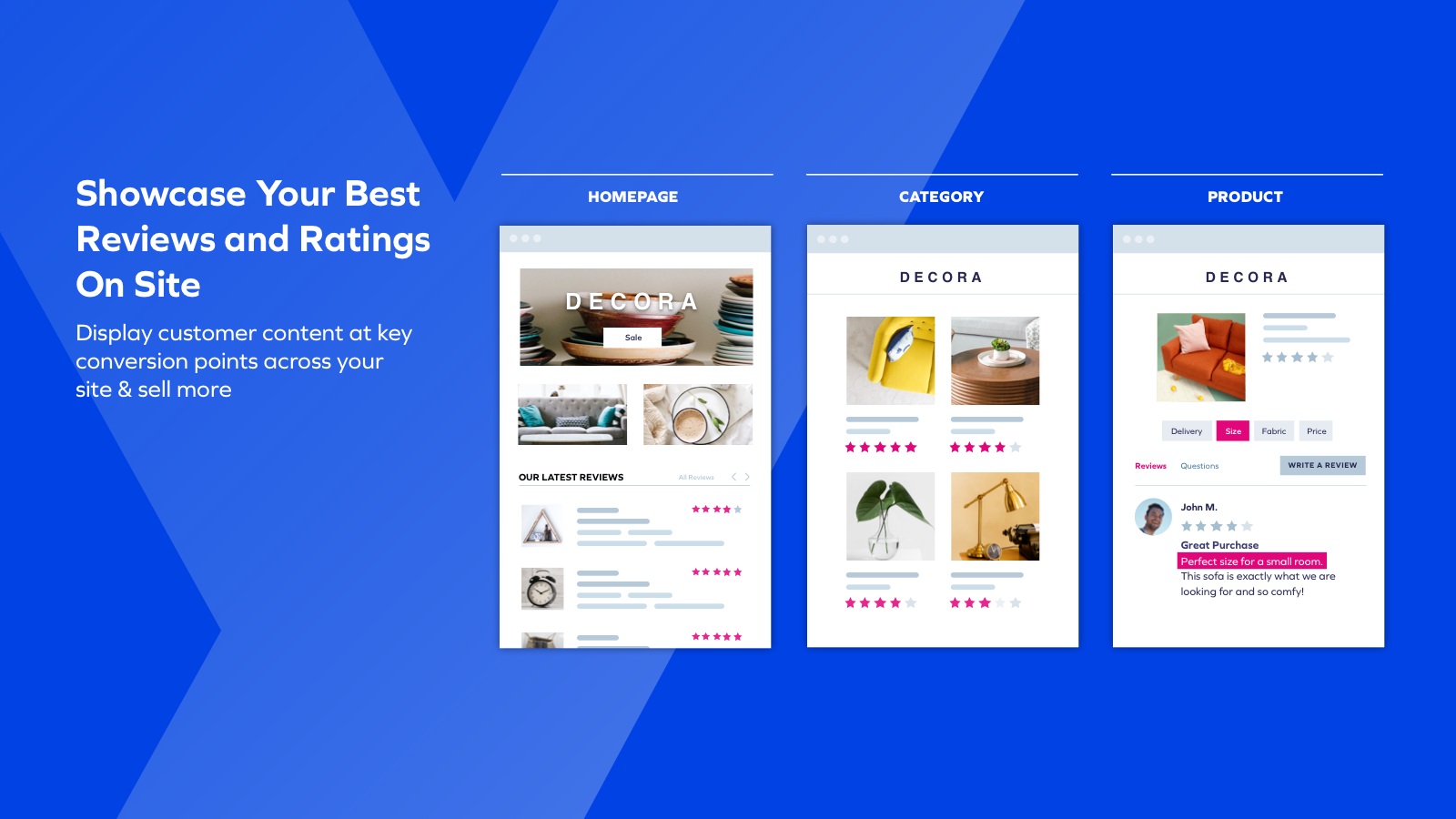
YOTPO is a commerce marketing platform that helps brands collect and showcase reviews, photos, and Q&A throughout the buyer journey. It integrates with WooCommerce to automate the entire review process.
Read Also: The Best Flagship Android Phones of 2026: Tested and Rated by Experts
What YOTPO does for your store:
-
Sends automated review request emails after purchase
-
Displays reviews, star ratings, and photo galleries on product pages
-
Shares customer content to social networks with one click
-
Helps you rank higher in search with rich snippets
The platform officially partners with Google, Facebook, and Instagram, making it easy to leverage customer content across multiple channels.
How to Install YOTPO on WooCommerce?
The installation process takes about ten minutes. Here is the step-by-step breakdown.
Step 1: Install the Plugin
Access your WordPress admin dashboard. Click on Plugins, then Add New. Type "YOTPO" into the search box. The plugin should appear. Click Install Now, wait for the installation to finish, then click Activate .
Step 2: Connect Your Account
After activation, click the YOTPO link in your WordPress sidebar. You will need to either register a new account or log in with an existing one. Fill in your app key and secret key. These are found in your YOTPO account dashboard.
Important: Change the default order status from 'Pending Payment' to 'Completed' . Orders with this status will trigger the automatic review requests.
Step 3: Enable Product Reviews
Go to WooCommerce, click Settings, then Products. Check the box for Enable Product Reviews and save the changes .
Step 4: Add YOTPO Widgets
The plugin automatically adds review elements to your product pages. To choose which widgets appear, go to the YOTPO Reviews plugin settings. Check the boxes for Reviews Widget, Star Rating, or Q&A. For the latest features, update your widget version to V3.
Manual Installation Option: If your theme does not support automatic placement, you can manually add the widgets. Go to On-Site Widgets in YOTPO, customize the widget, and paste the code into your site .
Key Features of YOTPO Reviews

Automated Review Collection
YOTPO pulls orders and triggers post-purchase review requests at the right moment. This automation helps you collect as many reviews as possible without manual effort . One store owner called it "a big win for our team and for our customers.
On-Site Display Options
You can display reviews, star ratings, and photo galleries across your homepage, product pages, and category pages. Shoppable image galleries let customers buy directly from user-generated content.
You Must Also Like: Android 16 Introduces Notification Cooldown to Minimize Repetitive Alerts
Social Sharing
The platform makes it easy to share your best customer content on Facebook and Twitter with a single click. This drives organic traffic and builds brand community.
SEO Benefits
YOTPO helps display ratings in organic search results and Google Ads, driving high-intent traffic to your store . Rich snippets make your products stand out in search results.
Analytics and Feedback
Track review engagement and customer sentiment to optimize your customer journey. Use the feedback to improve your products and marketing.
YOTPO Reviews API for Developers
For stores with custom builds, YOTPO offers a comprehensive API.
All Reviews Endpoint
You can retrieve all reviews with a GET request to https://developers.yotpo.com/v2/account_id/reviews. Parameters include:
-
score: The star-rating (1-5) -
verified_buyer: Confirms if the reviewer purchased the product -
images_data: User-uploaded photos -
votes_upandvotes_down: Customer engagement metrics -
content: The review text
Create Review Endpoint
You can create reviews programmatically using a POST request . This is useful for importing reviews from other platforms.
Headless Integration
For headless builds using Next.js, Shopify Hydrogen, or Gatsby, YOTPO recommends calling the APIs from your backend. This ensures better performance and security.
Rate Limits: API requests are limited to 5,000 per minute per app key. Data retrieved will be no older than one hour.
Importing Existing Reviews
If you have reviews from another platform, you can import them into YOTPO.
Go to the YOTPO Reviews plugin in your WordPress admin. Click Export Reviews. Use the online support form to send the file, and YOTPO will import the reviews for you.
Note: Imported reviews will be sent as anonymous and will trigger verification emails to the customers listed.
Free Plan vs. Paid Plans
Free Plan (Forever)
YOTPO's free plan is designed for small businesses starting out. It includes:-
-
Reviews Widget, Reviews Tab, and Star Ratings on-site display
-
Social Push and SEO Page to drive traffic
-
Automated review request emails
-
Advanced moderation and commenting tools
Growth Plan ($29/month)
The Growth Plan scales with your business. It adds:-
-
Photos in Reviews
-
Reviews Carousel
-
Rich Snippets for SEO
-
Coupons and Email Upsells
What Users Actually Say?
Customer reviews of YOTPO are mixed. Here is what real users report.
Positive Feedback
Many users praise the support team. One review notes, "Yotpo team gives a great service to customize my reviews! fast reaction on support" . Another user said, "John B helped us resolve all our issues. He always responds promptly and keeps us updated with the latest information".
The features are widely appreciated. One store owner wrote, "The free features are great and I just upgraded to a paid plan after using the free plan for several years. It makes collecting and displaying reviews easy".
Negative Feedback
Customer service is a common pain point. One user stated, "Yotpo, as a company, overall has been a disaster for us. It has been the worst business decision I have made in 40 years. Support is not good and takes weeks for an answer".
Technical issues have also frustrated users. One reviewer reported, "There is a serious tech issue going on where multiple customers are getting the 'don't have enough points for that' message when they clearly have over enough points".
Compatibility problems exist. Some users report that updates cause fatal errors. One user said, "In the last 1 year almost every update is problematic and it creates fatal errors". The support article confirms that third-party builders like Elementor or Divi are not currently supported.
Compatibility and Limitations
Supported Platforms
-
WordPress 3.5.1 or greater
-
PHP version 5.2.0 or greater
-
WooCommerce 3.0 or greater
Limitations to Know
-
Third-party page builders (Elementor, Divi) are not supported
-
Some users report update issues creating fatal errors
-
Support response times vary widely based on user feedback
-
The loyalty and rewards features have had technical issues
Who Should Use YOTPO?
Best for:
-
Small to medium WooCommerce stores
-
Store owners who want automated review collection
-
Brands that want to display photos and Q&A alongside reviews
-
Businesses looking for free review tools with upgrade options
Not ideal for:
-
Stores using Elementor or Divi page builders
-
Businesses that need immediate, reliable support
-
Brands requiring custom loyalty and rewards functionality
The Final Thoughts
YOTPO Social Reviews for WooCommerce offers powerful features at a reasonable price. The free plan alone includes automated review requests, on-site display, and social sharing.
For most WooCommerce stores, this is enough to get started. The mixed reviews on customer service are worth noting. Some users report excellent support. Others describe it as a nightmare.
If you value reliable support, test the free plan first. See how responsive their team is before upgrading. The API documentation is solid for developers. But avoid the plugin if you rely heavily on page builders. Compatibility issues could cause headaches.
Start with the free plan. Enable automated review emails. Display widgets on your product pages. Monitor performance. Upgrade to Growth Plan when you need photos in reviews and rich snippets. YOTPO is not perfect, but for many WooCommerce stores, it works well.