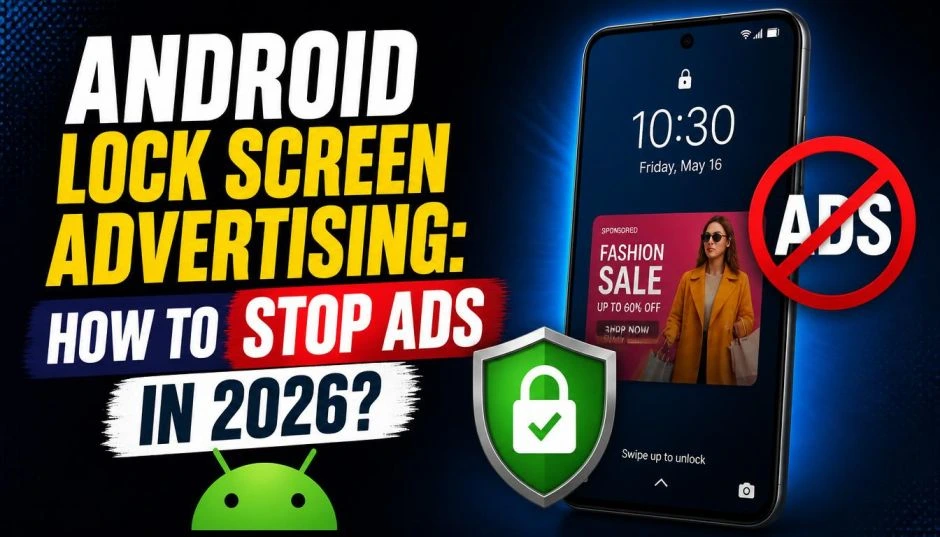
You pick up your phone to check the time. Instead of your wallpaper, you see an ad for a game you will never play. Or a recipe you did not ask for. Or an AI-generated image trying to sell you something.
Welcome to Android lock screen advertising in 2026.
This is not a bug. It is a business model. Phone makers have figured out that the lock screen is prime real estate. You look at it dozens of times per day. That attention has a price tag.
Here is the good news. You do not have to live with it. I have tested every fix on real devices—Samsung, Nothing, Motorola. This guide shows you exactly how to kick those ads off your phone for good.
The 2026 Landscape: Which Phones Show Lock Screen Ads?
Not all Android phones show lock screen ads. But the list of offenders is growing fast.
Nothing Phone: The Promise Breaker
Nothing built its brand on "clean software" and "no bloatware." CEO Carl Pei tweeted this promise in 2022. Users believed him.
Then came Nothing OS 4.0 in late 2025.
Read Also: Push Notification Marketing Strategy for 2026: What You Want to Know?
The update introduced Lock Glimpse. It cycles through wallpapers every time you wake your screen. Each image contains embedded links to external content. Recipes. DIY projects. Articles that look AI-generated.
Users were furious. They dug up Pei's old tweet. The backlash was loud and fast.
Nothing has now partially backed down. Lock Glimpse is removed from most Phone (a) series devices. But it stays on the Phone (3a) Lite. And Nothing admits the ads may return once they are "meaningfully improved".
Here is the scary part. Even when users disabled Lock Glimpse, the system kept trying to restart it every three seconds. This drained battery life. Removing it with ADB commands made things worse—the phone kept trying to restart the service anyway .
Samsung: The Denial
Samsung officially states: "Samsung does not place ads on the lock screen".
Technically, this is true. But practically? Many Samsung users see lock screen ads.
The difference is where the ads come from. Samsung does not serve them directly. Third-party apps do. Or Samsung's own "Global Goals" app. Or the "Smart Lock Screen" feature that recommends wallpapers and content.
Motorola and the Glance Problem
Motorola phones often ship with Glance enabled by default. Glance is an ad platform that takes over your lock screen. It shows news, games, and sponsored content.
The same company powers DirecTV's new AI screensavers starting in 2026. They are expanding fast.
Why Lock Screen Ads Are Worse Than Regular Ads?
Regular ads live inside apps. You expect them there. You scroll past them.
Lock screen ads are different. They invade a space that used to be yours. Your wallpaper. Your photo of your dog. Your kids. That is gone. Replaced by a margarita recipe from an ad network.
The industry calls this a "discovery surface." Advertisers love it because you see it dozens of times per day. It is "unskippable attention".
For you? It is annoying at best. Creepy at worst. Some lock screen ads track your behavior. They build profiles on you. They serve "personalized" content based on what you do.
How to Remove Lock Screen Ads on Samsung Phones?
Samsung users have the most control. Here is the step-by-step process I used on a Galaxy S24 Ultra.
Step 1: Turn Off Dynamic Lock Screen
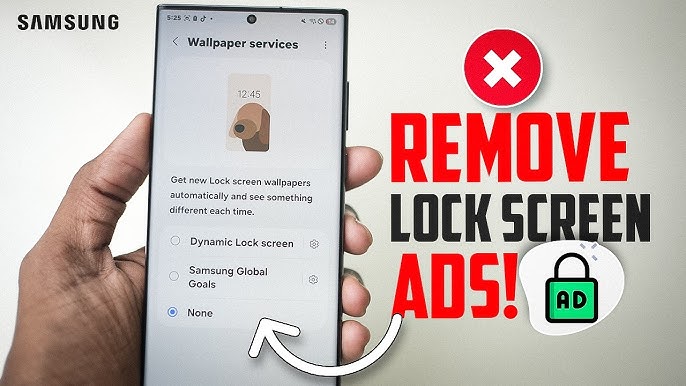
Go to Settings > Lock Screen. Find Dynamic Lock Screen. Turn it off. This feature cycles through wallpapers from Samsung. Some of those wallpapers contain ads.
Step 2: Disable Lock Screen Widget Recommendations
Still in Lock Screen settings. Look for Lock Screen Widgets or Lock Screen小组件. Turn off Recommended content or Recommendations.
Step 3: Kill Smart Lock Screen
Go to Settings > Wallpaper and Style > Wallpaper Services > Smart Lock Screen.
Turn off these three options :
-
Personalized ads
-
Recommended wallpapers
-
Usage-based lock screen content
Step 4: Disable Samsung Global Goals Ads
If you have the Samsung Global Goals app, open it. Tap the settings icon. Toggle off Charge screen ads.
Step 5: Turn Off Personalization Services
Go to Settings > Privacy > Customization Service. Turn off Customize this phone and Customized ads and direct marketing.
Then go back to Privacy > Ads. Turn on Opt out of Ads Personalization.
Step 6: Stop Account-Level Tracking
Go to Settings > Samsung Account > Security and Privacy. Turn off Get news and special offers and Improve personalization ads.
How to Remove Lock Screen Ads on Nothing Phones?
Nothing users have fewer options. But here is what works.
Remove Lock Glimpse
Go to Settings > Lock Screen. Look for Lock Glimpse. Turn it off.
If you want it gone completely, you have to use ADB commands. Connect your phone to a computer. Use Android Debug Bridge to uninstall the package. Warning: this may cause battery drain as the system tries to restart the service.
You Must Also Like: Why Data-First Marketing is Replacing Gut-Based Decisions?
Remove Meta Services
Nothing phones ship with Meta App Installer, Meta App Manager, and Meta Services. You used to only disable them. Now you can fully uninstall them.
Go to Settings > Apps. Find each Meta service. Tap Uninstall.
If you factory reset your phone, they come back. You have to remove them again.
Turn Off Sponsored App Recommendations
Go to Settings > Apps > App Services. Turn off Sponsored recommendations. This stops the ad banners during setup and system updates.
How to Remove Lock Screen Ads on Motorola Phones?
Motorola users face the Glance problem. Here is how to kill it.
Disable Glance
Swipe right on your lock screen. Look for Glance settings. Tap the three dots. Select Turn off Glance.
If that does not work, go to Settings > Lock Screen > Glance. Toggle it off.
Remove Glance via ADB
For stubborn Glance installations, use ADB. Connect your phone to a computer. Run:
text
adb shell pm uninstall -k --user 0 com.motorola.glance
This removes it completely. No battery drain issues like Nothing.
The Third-Party App Culprit
Sometimes the lock screen ads are not from your phone maker. They are from an app you installed.
Handheld flashlights. Battery optimizers. Weather apps. QR code scanners. These are the worst offenders .
Here is how to catch the guilty app.
Find the Offending App
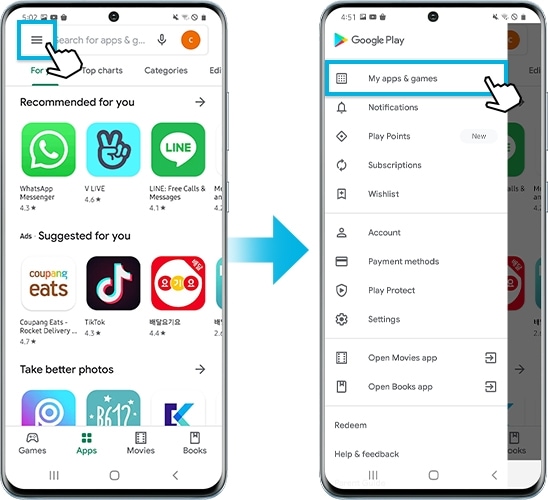
Open Google Play Store. Tap your profile icon. Select Manage apps and device > Installed. Sort by Last used.
Look at the apps you used recently. If you see a flashlight app or a "cleaner" app, delete it immediately.
Uninstall Suspicious Apps
Delete the app. Wait 10 minutes. Check if the ads stop.
If they do, you found the problem. Leave a 1-star review warning others.
Block Pop-Ups in Chrome
Open Chrome. Go to Settings > Site settings > Pop-ups and redirects. Turn it off. Then go back and tap Ads. Turn that off too.
Block Pop-Ups in Samsung Internet
Open Samsung Internet. Tap the menu (three lines). Go to Settings > Sites and downloads. Turn on Block pop-ups. Then go back and tap Ad blockers. Download a recommended blocker.
What to Do If Nothing Works?
You tried everything. Ads still appear. Now you have two options.
Option 1: Factory Reset
Back up your photos and files. Go to Settings > General Management > Reset > Factory data reset.
When you set up the phone again, pay attention. Read every permission screen. Decline "personalization" offers. Do not install any flashlight or battery apps.
Option 2: Install a Custom ROM
This is for advanced users only. Custom ROMs like LineageOS or GrapheneOS have no ads. They also have no Google services if you choose. This breaks some apps. But your lock screen stays clean.
The 2026 Outlook: It Is Getting Worse
Lock screen advertising is not going away. It is expanding.
DirecTV will show AI-generated lock screen ads on its Gemini devices starting in 2026. You will see your own AI avatar in ads. The system will recommend products to buy based on what you look at.
Glance, the company behind much of this, has "a trillion SKUs" to match to AI-generated images. They can analyze your behavior and browsing history. They serve "tailor-made product recommendations".
The advertising industry calls lock screens the "third pillar" of app growth. They rank it alongside social media and search engines. Over 1.85 billion daily active users are reachable through lock screen ads.
Translation: every phone maker is looking at this revenue stream. Your lock screen is valuable. They want it.
Final Verdict: Which Phones Are Safe?
If you want zero lock screen ads, buy a Google Pixel. Google does not put ads on the lock screen. Neither does OnePlus (for now). Apple iPhones do not have this problem either.
Avoid budget phones from brands you have never heard of. They subsidize the low price with ad revenue. You are the product.
Avoid Nothing if you care about software promises. They broke trust once. They admit the ads may return.
Samsung is fine if you follow the steps above. It takes 10 minutes to turn everything off. After that, no more ads.
Android lock screen advertising is a choice. The phone makers choose to show them. You choose to remove them. Now you know how.