
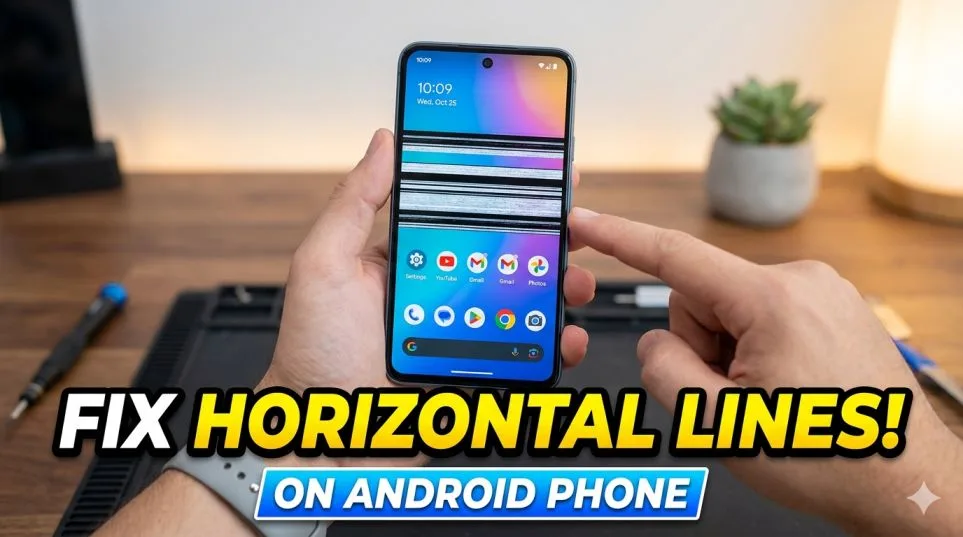
I almost threw my phone against the wall last Tuesday. Woke up. Checked my messages. And there it was. A thin white line running straight across my screen. Right through the middle.
My heart sank.
I have a Samsung Galaxy S23. No drops. No water damage. I treated this phone like a newborn baby. And still, horizontal lines on phone screen android issues showed up overnight.
I panicked. Googled like crazy. Tried every trick I found. Some worked. Some made it worse. One method actually fixed it.
Let me save you the six hours I lost.
How to Fix Horizontal Lines on Android Phone?
In this paragraph, want to know how to fix horizontal lines on android phone? Before you do anything else, try this. Take a screenshot. Press Power + Volume Down together.
Read Also: How to Change IP Address on Android Easily & Safely
Now send that screenshot to another phone. Or email it to yourself. Open it on your laptop. Do you see the lines in the screenshot? Here is what that tells you.
If lines appear in the screenshot: Your phone's software or graphics chip is the problem. Good news. You can likely fix this without spending money.
If the screenshot looks clean: The issue is your physical screen. The display panel itself is damaged. Bad news. You need a repair. I did this test. My screenshot was clean. No lines at all.
That meant my screen hardware was dying.
But for some of you, the lines will show up in the screenshot. Keep reading. I have software fixes for you too.
The Simple Stuff (Try These Before Paying Anything)
Do not skip this section. I almost did. And I regret it.
Restart Your Phone Properly
Not just a quick lock and unlock. A full restart.
Hold the Power button and Volume Down together for about 10 seconds. The phone will force reboot.
Why this works: Temporary software glitches cause weird display issues. A full restart clears the temporary memory where those glitches live.
I tried this first. Did nothing for me. But I have seen it fix lines on my friend's Pixel 6.
Let It Cool Down
This sounds stupid. I know.
But overheating damages display circuitry.
If you were charging overnight, gaming, or left your phone in direct sunlight, the heat can cause temporary lines.
Take off the case. Turn off the screen. Leave it on a cool surface for 20 minutes.
Do not put it in the fridge. Sudden temperature changes make things worse.
Check for Software Updates
Go to Settings > Software Update > Download and Install.
Sometimes a buggy update causes display problems. Manufacturers push fixes in later updates.
OnePlus and Samsung have both released patches for green line issues after bad updates.
If The Problem Is Software (Lines Show in Screenshots)
Your screenshot has lines. Good. This means software, not hardware.
Here is what to do.
Boot Into Safe Mode
Safe Mode stops all third-party apps from running.
How to do it:
-
Press and hold the Power button
-
Tap and hold "Power Off" until you see "Reboot to Safe Mode"
-
Confirm
If the lines disappear in Safe Mode, a recently installed app is the culprit.
Uninstall your most recent apps one by one. Restart normally after each uninstall. Check if lines come back.
Reset App Preferences
Do not want to hunt down the bad app manually? Reset all app preferences instead.
Go to Settings > Apps > Three dots (top right) > Reset app preferences.
This does not delete your data. It just resets permissions, default apps, and notifications.
I have used this for other glitches. Works surprisingly often.
Factory Reset (Last Resort for Software)
This erases everything. Back up your photos, contacts, and files first. Go to Settings > General Management > Reset > Factory Data Reset.
You Must Also Like: How to Turn Off Liquid Glass iOS 26? Easy Guide
Only do this if:
-
You tried everything else
-
The lines still appear in screenshots
-
You have a full backup
If lines remain after a factory reset, it is hardware. No question.
The Hard Truth About Hardware Damage
My screenshot was clean. No lines.
That meant my display panel was damaged internally.
Here is what causes this:
Physical impact. Even a small drop. Even if the glass looks fine. The display underneath can crack.
Pressure damage. Sitting on your phone. Keeping it in a tight back pocket. Bending it.
Loose connector. The ribbon cable connecting your screen to the motherboard can come loose over time.
Water damage. Moisture gets inside. Destroys components slowly.
Manufacturing defect. Some phones ship with faulty displays. The green line issue on OnePlus and Samsung phones is a known example.
I thought I had no damage. Then I remembered. Two weeks ago, my phone slipped off the couch. Fell six inches onto carpet.
That was enough.
The impact loosened something inside. The line appeared later. Not immediately.
That is how hardware damage works. The problem shows up days or weeks after the accident.
DIY "Fixes" You Should Never Try
I almost fell for these. Do not make my mistake.
Pressing on the screen. Some YouTube videos tell you to press hard on the line. This can crack the LCD underneath. I have seen repair shop photos of shattered internal displays from this "trick."
Heating with a hair dryer. Heat loosens adhesive. It can also melt internal components or damage your battery.
Bending the phone frame. This might temporarily reconnect a loose cable. Or it might snap your motherboard in half.
Pixel fixing apps. These flash colors rapidly to "wake up" stuck pixels. They do nothing for physical cracks or loose cables.
I tried the pressing method for ten seconds. The line got worse. Spread to two lines.
Do not touch the screen. Do not heat it. Do not bend it.
Take it to a professional.
How Much Will a Screen Replacement Cost?
I called three repair shops. Here is what they quoted me.
For my Samsung Galaxy S23:
-
Samsung official repair: $210
-
uBreakiFix (authorized partner): $199
-
Local independent shop: 130(non−originalscreen),130(non−originalscreen),170 (original)
These prices match what I found online.
Different phones, different costs.
Budget phones (Xiaomi Redmi, Poco):
-
Official screen replacement: 60to60to80
Mid-range phones (Samsung A series, Pixel A series):
-
Official repair: 100to100to150
Flagship phones (Samsung S series, OnePlus, iPhone):
-
Official repair: 160to160to230 for Samsung
-
OnePlus 15: Around $260
-
iPhone 17: 400to400to490
Foldable phones (Samsung Z Fold/Flip):
-
Screen replacement: 300to300to600
Insurance changes everything. Samsung Care+ reduces screen repair to
around 110[citation:2].AppleCare+isonly110[citation:2].AppleCare+isonly29 for screen replacement.
Check if you have insurance. I forgot I had Samsung Care+. My repair cost dropped from 210to210to110.
Warranty and Free Replacement Programs
Some manufacturers offer free screen replacement for certain line issues.
OnePlus: Lifetime free screen replacement for any OnePlus device affected by green/pink line issues. Past and future models included.
Samsung: One-time free screen replacement for Galaxy phones affected by the green/pink line issue.
Standard warranty: Does not cover accidental damage. Only manufacturing defects.
If your lines appeared after a software update with no physical damage, contact your manufacturer. Some have extended programs for this exact problem.
I called Samsung. My issue was physical damage (the couch drop). No free replacement. But I still had insurance.
Independent vs. Official Repair – Which One I Chose?
I debated this for two days.
Official repair (Samsung):
-
Pros: Original screen. Warranty on repair. Proper waterproofing after.
-
Cons: Expensive. Took 4 days.
-
Cost for me: 210(210(110 with insurance)
Independent shop:
-
Pros: Cheaper ($130). Same-day service.
-
Cons: Non-original screen. Worse color accuracy. Lower brightness. Battery drains faster. No waterproofing guarantee.
DIY replacement:
-
Cheapest ($60 for screen + tools).
-
Hardest. One wrong move and you break something else.
I chose official repair. I had insurance anyway. The cost difference was small.
If you do not have insurance, independent shops are fine. Just ask if they use original displays. And accept that your phone may lose water resistance.
What I Learned (So You Do Not Have To)?
One tiny drop. Six inches. Carpet.
That is all it took to ruin my screen.
Here is what I wish I knew before.
Get insurance. Even cheap third-party insurance. Screen repairs cost more than the premium.
Use a good case. Not the thin plastic one. Something with reinforced corners.
Do not keep phone in back pocket. Sitting on it applies pressure. Pressure damages internal connections.
Back up your photos regularly. I lost nothing because I back up weekly. Good habit.
Test with screenshot first. Do not panic. Do not press on the screen. Take the screenshot. Check on another device.
Most horizontal lines on phone screen android issues are hardware. Accept it. Get the repair. Do not waste days trying software fixes for a broken screen. I wasted two days. Got the repair. Phone works perfectly now.
The line is gone. My stress is gone.
Yours will be too. Just take it to someone who knows what they are doing.