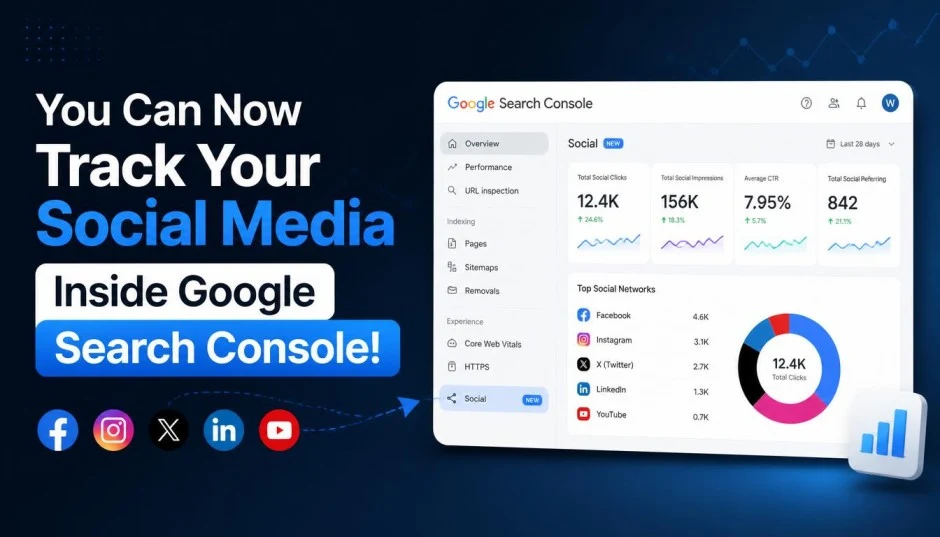
I nearly spilled my coffee reading the announcement. Google finally did it. They opened up Search Console to track social media performance.
For years, we have been guessing. Wondering if our Instagram posts show up in Google Search. Hoping our YouTube videos actually drive traffic from Discover. No data. Just assumptions.
That changes now. Platform properties are live for everyone. You can track how your content performs across Instagram, TikTok, X, and YouTube directly inside Google Search Console. No separate tools required. No complicated workarounds.
Here is what you need to know. How to set it up. What data you get. And why this changes everything for content creators and marketers.
What Are Platform Properties?
Search Console used to track only websites. You verified a domain or URL prefix. You saw search performance for your site. That was it.
Read Also: How to Use Android AI Circle to Search on Android Device?
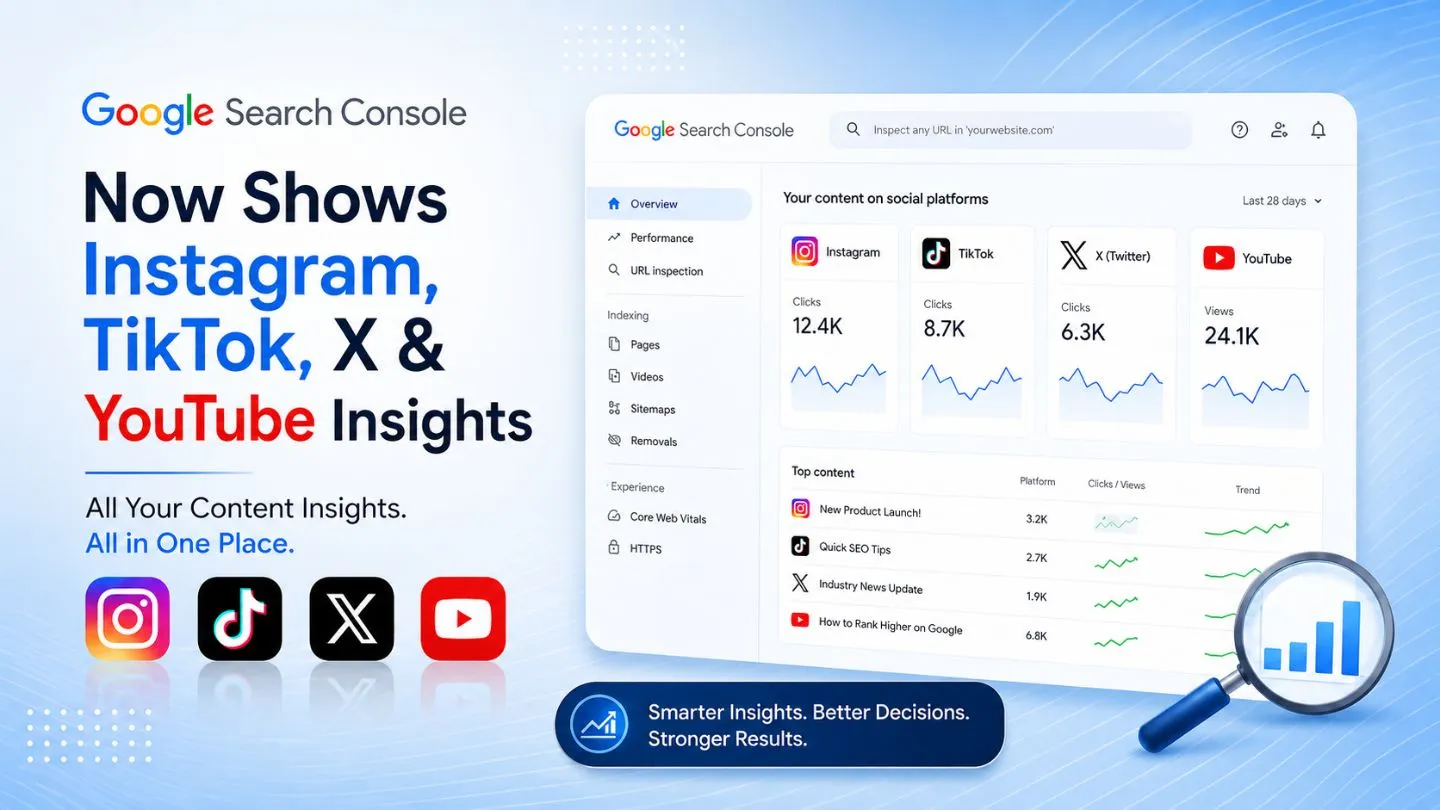
Not anymore. Google now treats social and video accounts as properties. Just like websites. You connect your Instagram, TikTok, X, or YouTube account. Search Console starts reporting how your content performs across Google surfaces.
This is massive. For the first time, you see which search terms lead people to your social posts. You see clicks, impressions, and trends. All in one dashboard.
Supported Platforms
Google launched with four platforms:
-
YouTube
-
TikTok
-
X (formerly Twitter)
-
Instagram
More platforms may come later. But these four cover most creators and brands .
Who Can Use This?
Here is the surprising part. You do not need a website. Creators who publish only on social platforms can use Search Console now. No domain verification required. Just connect your social account and start tracking .
What Data Do You Actually Get?
I connected my YouTube channel last week. The data is revealing.
Performance Report
This shows total clicks and impressions from Google Search, Discover, and News to your social content. You can filter by search type—Web, Image, Video, or News. See exactly which posts drive traffic .
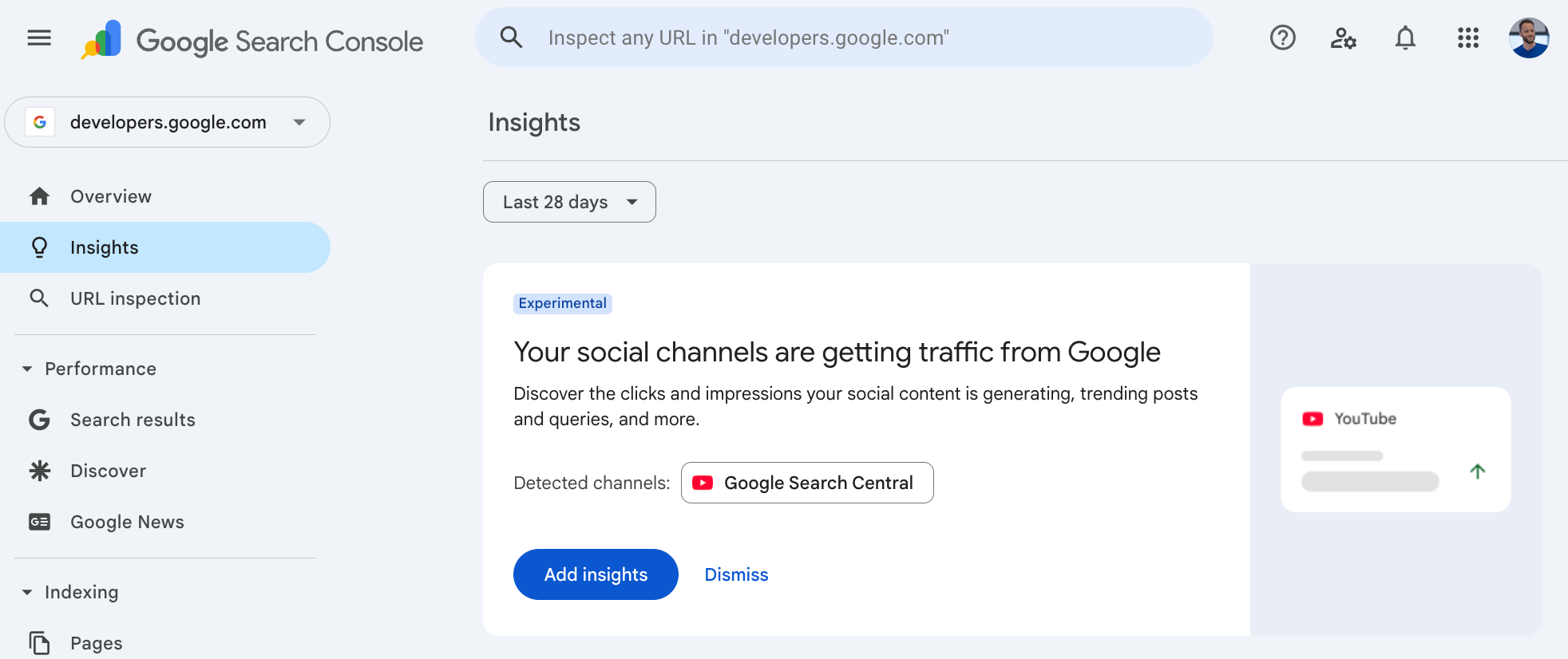
For YouTube creators, this is gold. You see search queries that bring viewers to your videos. Not just what people search inside YouTube. What they search on Google before clicking your video.
Insights Report
This gives a high-level overview. Top-performing posts. Trending content. Traffic patterns. A quick snapshot of what is working.
You Must Also Like: How to Generate 1000 Leads Per Month SEO Content Strategy?
The query groups feature is my favorite. It shows top search themes sending traffic to your posts. Also shows trending up and trending down queries. This tells you what your audience actually cares about.
Achievements
This tracks milestones. Hitting click thresholds. Growth markers. Nice for motivation but not the most valuable report.
How to Set It Up?
Setting up platform properties takes two minutes. Here is exactly what to do:
-
Open Search Console
-
Click the property selector dropdown in the top left
-
Select "Add property"
-
Choose "Platform property"
-
Pick your platform (Instagram, TikTok, X, or YouTube)
-
Follow the prompts to verify ownership
-
Authorize the connection
That is it. Repeat for each account and platform you manage. Each social account becomes its own separate property.
Important: Data may take up to 48 hours to appear after verification. There is no backfill. Your performance history starts now. Verify as soon as possible to start building historical data.
Six Ways to Use This Data
Google published a guide covering practical ways to work with your new data. Here are the most useful strategies .
1. Find Content Ideas That Actually Work
The Insights report shows query groups sending traffic to your posts. These are search themes your audience cares about. Use these ideas for your next video topic, caption, or hashtag. No more guessing what people want.
2. Catch Trending Content in Real-Time
Use the 24-hour filter. It catches sudden search traffic spikes to recent posts. When a post trends, you still have time to cross-promote it elsewhere. Strike while the iron is hot.
3. Compare Performance Across Platforms
Export data from each property. Compare YouTube, Instagram, X, and TikTok side by side in one spreadsheet. See which platform delivers the best search traffic for your content.
4. Identify Older Content That Is Regaining Traction
Search Console shows videos regaining search traction. That old YouTube video from two years ago might be picking up again. Google suggests pinning it to your feed or creating a second part. Smart move.
5. Test Changes with Annotations
Use annotations to log changes. Rewrote a YouTube title? Changed a TikTok caption? Add an annotation with the date. Compare performance before and after. A before-and-after record for every change you make.
6. Compare Content Formats
Comparison mode lets you compare different data sets. Long-form YouTube videos against shorts. Instagram posts against reels. See which format earns more search visibility.
What This Does NOT Show?
Let me be clear about limitations.
Platform properties show how your social content performs on Google. Search, Discover, and News only. They do NOT show in-app analytics. You will not see how many times a video was watched on TikTok itself. You will not see Instagram engagement metrics.
These are two separate worlds. Platform properties complement your native analytics. They do not replace them.
Why This Matters for Your Strategy?
Social media platforms tell you how content performs on their website or app. They do not tell you what someone searched on Google before clicking through to your post.
Now you know. Search Console shows those search terms for every connected account.
This is not just a convenience feature. It signals something bigger. Google is treating social and video as search surfaces. YouTube videos and social posts are indexable and rankable. They compete for visibility alongside webpages.
The practical takeaway? Treat social content as rankable content. Build it with search intent in mind. Not just engagement.
Breaking Down Silos
Search and social teams often work separately. This feature forces collaboration. Social media marketers can see which content themes generate downstream search demand. SEOs can identify topics gaining traction on social.
Coordinate campaigns. Share content calendars. Use the same data. Better workflows lead to better results.
Strategic Shift
Google is adapting to changing search behavior. Nearly a quarter of US adults use social media as their primary search method. Over 60% of Gen Z consumers have purchased products they found on social media.
Trendung Article: Push Notification Marketing Strategy for 2026: What You Want to Know?
Search engines are no longer the sole starting point. Users research on AI platforms and social media. Search becomes a validation layer. Google wants to stay relevant by bridging these worlds.
What Marketers Should Do Now?
Even if the option is not visible in your account yet, platform properties are rolling out gradually. Here is how to prepare.
1. Verify your accounts now. Connect Instagram, TikTok, X, and YouTube as soon as the option appears. The sooner you verify, the sooner you start building performance history. No backfill means you cannot recover this data later.
2. Audit your social content. Which posts already perform well? Which formats work? Use the data to understand what drives search traffic.
3. Align content calendars. Social and SEO teams should share calendars. Coordinate promotions around trending topics. Use insights to inform both teams.
4. Repurpose high-performing content. Social videos that perform well in search can be embedded in blog posts. User-generated content can become FAQs. Get more value from every asset.
5. Track emerging trends. Social platforms serve as search indicators. What trends on TikTok today might trend on Google tomorrow. Stay ahead of the curve.
The Final Thoughts
I have been in digital marketing for over a decade. This is one of the most significant Search Console updates I have seen. Not because of the technical features. Because of what it represents.
Google is acknowledging that content lives everywhere now. Not just on websites. Social platforms matter. Video matters. Discovery happens across surfaces.
For creators, this is empowerment. You no longer guess which content works in search. You see it. You track it. You optimize it.
For brands, this is opportunity. You can coordinate search and social strategy like never before. Break the silos. Use the same data. Create better content.
The data is there. Go set it up. Start tracking. And stop scrolling past this opportunity.
FAQ's- About Social Channels in Search Console
Do I need a website to use platform properties?
No. Platform properties work for creators without websites. You only need a verified social account.
Will I see data from before I set it up?
No. There is no backfill. Your performance history begins at verification. Connect your accounts now to start building data.
What surfaces does this cover?
Google Search, Discover, and News. Only when your content earns traffic from those surfaces.
How is this different from Search Profiles?
Search profiles are public shareable pages consolidating creator content. Platform properties are private analytics showing search performance. Different tools, different jobs.
When will the option appear in my account?
Google is rolling platform properties out gradually. The option might not show up immediately. Keep checking.